🖼 Collage Maker: Make a Cute Photo Collage
Pick one of 36 cute collage templates or start from a blank page, add your photos, then decorate with filters, stickers, text and drawings. Free, no sign-up, no watermark.
Step 1
Choose your collage
Pick a size to start:
Step 2
Make your collage
No frame with that name. Try heart, star or camera.
Custom size
Choose the width and height of your collage in pixels.
Edit text
Change the words or leave a line empty. To remove the whole part, tap its × on the picture.
Save template
Where do you want to keep it? It stays on this device.
Leave this collage?
Your photos and changes in this design will be lost.
Edit photo
Drag to move. Pinch or scroll to zoom.
A free photo collage maker with cute, aesthetic templates
Cutiora Collage Maker is a free online photo collage maker with 36 cute, scrapbook-style templates. Each template holds 1 to 7 photos. You can move, resize, turn, delete or recolour every piece, and rewrite the words on it. Prefer to start from scratch? Open a blank page in the size you need, like an Instagram Story, a Pinterest Pin or a phone wallpaper.
Everything happens right here in your browser, on your phone or computer. There is no app to install, no account to create and no watermark on your collage. Your photos stay on your device while you edit, and no AI ever changes your face.
Two ways to start
| Ready-made templates | Create your own | |
|---|---|---|
| Where you start | A finished design, ready for your photos | An empty page |
| Layout | Already designed: you just add photos | You place every frame yourself |
| Size | The template’s own size | 11 sizes or your own size |
| Photos | 1 to 7, depending on the template | You add frames to build your own layout |
| What you can change | Every piece, colour and word | Everything, from the background up |
36 cute collage templates
The templates come in seven styles, so you can quickly find the right one:
- Birthday — a party collage with a “Happy Birthday” title you can rewrite.
- Love — soft designs with hearts and flowers for couples, anniversaries and Valentine’s Day.
- Friends — fun layouts for your best friends and group photos.
- Minimal — clean designs with lots of space, for a calm aesthetic look.
- Scrapbook — paper, buttons, bows and little doodles, like a real photo journal.
- Story — tall designs made for Instagram stories.
- Vintage — lace, stars and soft old-photo colours.
Above the templates, choose how many photos you have (from 1 to 7) to see only the templates that fit. The ⭐ Mine button shows the templates you saved yourself. Here are a few of them:
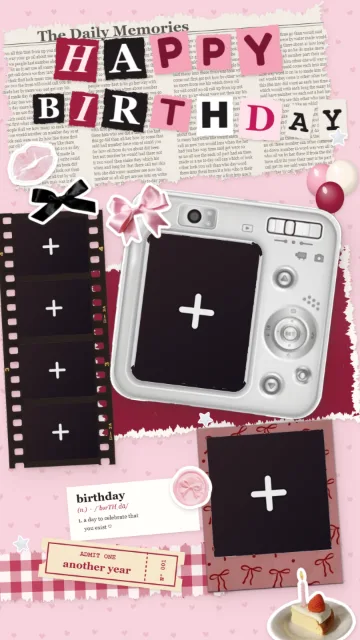
Birthday Girl · 6 photos 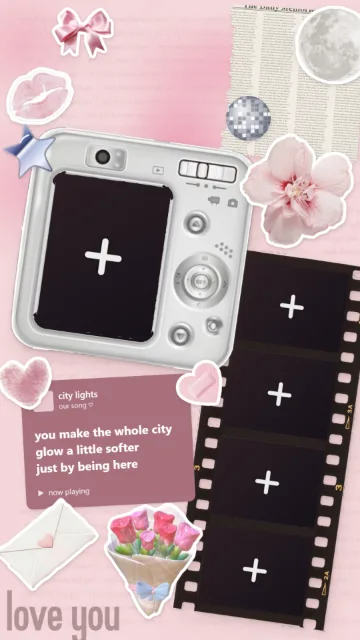
Pink City Lights · 5 photos 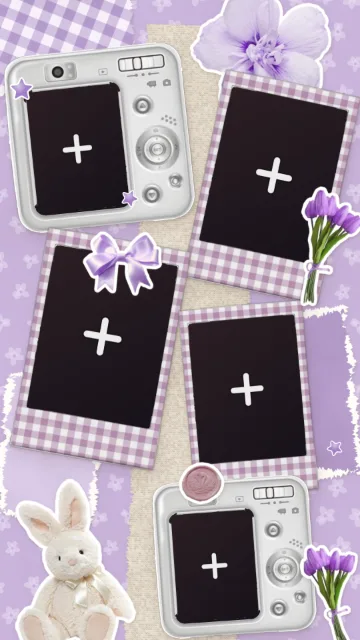
Lavender Dream · 5 photos 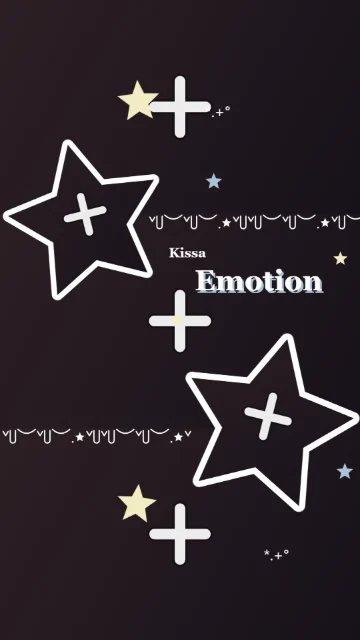
Café Stars · 5 photos 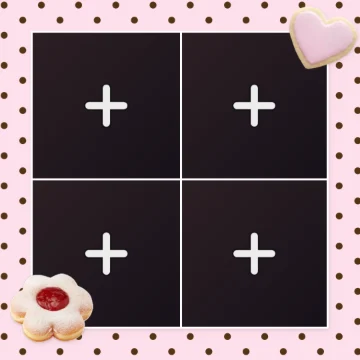
Choco Dots · 4 photos 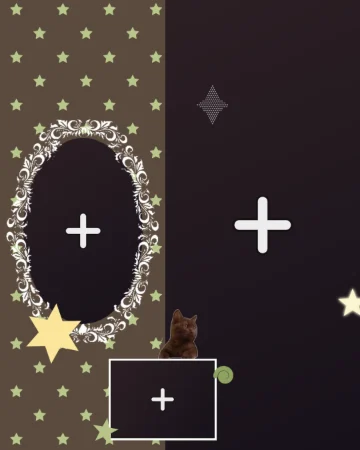
Starry Mirror · 3 photos
How to make a photo collage
- Choose a template, or tap Create your own and pick a size.
- Add your photos. Tap a dark space with a “+” and choose a photo. A small window opens first, so you can choose the part of the photo that shows and add a filter. Tap Done to place it.
- Place each photo. Move the photo with your finger and zoom in or out until it looks right inside its frame.
- Make it yours. Change the colours, rewrite the words, and add stickers, text or drawings.
- Save it. Tap Download to save your collage, or Share to Pinterest.
Add, move and swap your photos
Tap a frame to select it. Use the handles to move it, make it bigger or smaller, or turn it. Tap the photo again to move it inside the frame or zoom in and out. Want it in another frame? Use Swap to switch it with the photo there. Remove takes the photo out but keeps the empty frame.
Tap a photo twice quickly to open Edit. There you can choose one of 82 filters and change the brightness, the colours and more with 24 adjustment sliders. Nothing changes until you tap Done.
Change every part of the template
Nothing in a template is fixed. Tap any piece — a sticker, a frame, a heart or a title — to move it, resize it, turn it, or delete it with the ×.
- Colours: the pieces drawn by the template have a Colour button (and sometimes a second colour). The Background tab changes the background colour, and on dotted or starry backgrounds you can change the colour of the dots and stars too.
- Words: titles like “HAPPY BIRTHDAY” or a little note can be rewritten with Edit text.
- Outline: give a sticker or a photo a white, pink, black or any-colour border, and choose how thick it is.
- Layers: the Layers list shows every piece of your collage and lets you choose what is in front and what is behind.
- Undo, Redo and zoom: go back or forward at any time, and zoom in to work on small details.
Stickers, text and drawings
- Stickers: cute stickers in many groups, like love, study, food, flowers, bows and lace, and buttons, including the little decorations from our templates.
- Text: write anything in 6 fonts, choose its colour and outline, and add kaomoji like (๑>◡<๑) or aesthetic symbols like ✧ and ♡.
- Draw: draw hearts, sparkles or your own handwriting with different brush styles, colours and sizes.
Make your own collage from a blank page
Tap Create your own and choose one of 11 sizes: Instagram Story, Instagram post, square, Pinterest Pin, phone wallpaper, desktop wallpaper, Facebook post, Facebook cover, X post, X header or YouTube thumbnail. You can also type your own size. Next, open the Frames tab and choose from 29 shapes, like polaroids, a film strip, hearts, stars and circles. Finish with a background in any colour or a cute pattern.
Do you want to put photos inside hearts and other shapes on top of a picture you already have? Try Shape Frames.
Save your own templates
Made a design you love? Tap Save template. It is kept on your device in the ⭐ Mine section, ready for new photos next time. Designs with 1 to 4 photos can also be saved for our Photo Booth, so you can use the same design to take photos with your camera.
Download in high quality or share to Pinterest
Download saves your collage as a high-quality picture. Collages made from a template are saved 1080 pixels wide. Share to Pinterest opens Pinterest with your finished collage, ready to pin. If a frame is still empty, the tool reminds you before you save.
Collage ideas
- A birthday collage for your best friend, with her favourite photos and her name in the title.
- A love collage for an anniversary or Valentine’s Day.
- An aesthetic Instagram Story about your week, your outfits or a trip.
- A photo dump or scrapbook page of your summer, your school year or a concert.
- A phone wallpaper with your favourite people.
Why use Cutiora Collage Maker?
Cutiora Collage Maker is completely free, with no subscription and nothing to unlock. Make your collage right in your browser on an iPhone, an Android phone, a tablet or a computer. There is no sign-up, no app to install and no watermark on your downloads. Your photos stay on your device while you edit, and no AI ever changes your face.
More Free Photo Tools
Add text and stickers to one photo in the Cute Photo Editor, give your photos a new look with Aesthetic Photo Filters, take photo strips with the Photo Booth, put photos inside hearts and shapes with Shape Frames, add a cute circle border to your profile picture with the PFP Border Maker, turn a photo into a sticker with the Sticker Maker, or see every tool on the Tools page.
Frequently Asked Questions
Is Cutiora Collage Maker free?
Yes, completely. Every template, frame, sticker and filter is free, and you can download or share your collage without paying anything. There is no subscription and nothing to unlock.
Do I need to sign up or install an app?
No. Open the page and start right away, on your phone or computer. There is no account, no email and nothing to install.
Will my collage have a watermark?
No. Cutiora never adds a watermark or logo to your pictures.
How many photos can I put in a collage?
Each ready-made template holds from 1 to 7 photos, and you can filter the templates by the number of photos you have. With Create your own, you add frames to build your own layout.
Can I make a collage without a template?
Yes. Tap Create your own, choose a size, then add frames, a background, stickers, text and drawings yourself.
Can I change the colours and words on a template?
Yes. You can move, resize, turn, delete or recolour any piece of a template, and rewrite its words with Edit text.
Can I make a collage for Instagram Stories, Pinterest or my phone wallpaper?
Yes. Create your own has sizes for Instagram Story and post, Pinterest Pin, phone and desktop wallpaper, Facebook, X and YouTube, and you can also type your own size.
Can I make a photo collage with 2, 3 or 4 pictures?
Yes. Choose a template that fits your photos: there are templates for 1 to 7 photos, and you can filter them by the number of pictures you want to use.
Are my photos uploaded anywhere?
While you edit, your photos stay on your phone or computer. If you tap Share to Pinterest, a copy of your finished collage is uploaded for a short time so Pinterest can show it.
Can I save my own collage template?
Yes. Tap Save template and it appears in the Mine section on your device, ready for new photos. Designs with 1 to 4 photos can also be used in the Cutiora Photo Booth.
Does Cutiora use AI on my photos?
No. Nothing changes your face or your photo by itself. You choose every photo, filter and decoration.